
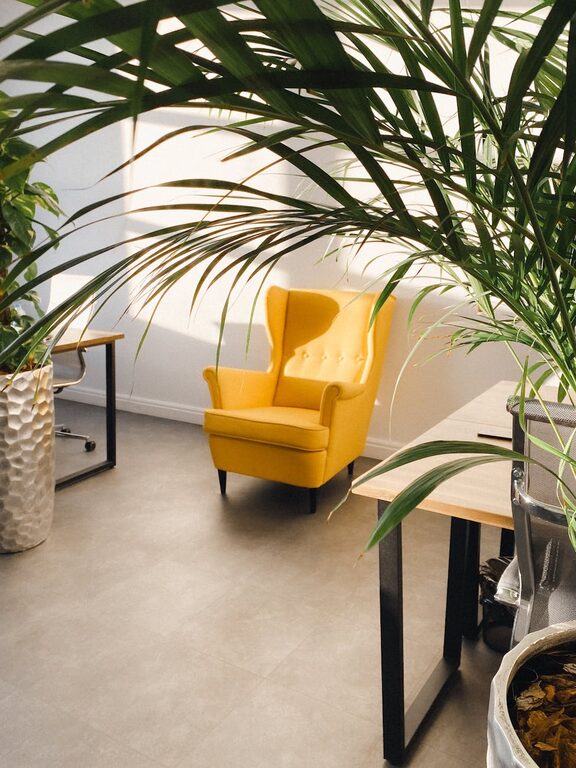
Creating a relaxing home workspace is essential for maintaining focus and reducing stress, especially when working remotely. A well-designed area not only enhances your productivity but also helps separate work from personal life. Whether you have a dedicated room or a small corner, this guide will walk you through practical steps to make your workspace calming and comfortable.
Why a Relaxing Workspace Matters
When your workspace feels cluttered or chaotic, it can increase anxiety and lower your efficiency. On the other hand, a peaceful environment encourages creativity, clear thinking, and motivation. Designing your home office with relaxation in mind supports a healthy balance between work and wellbeing.
Choose the Right Location
Find a Quiet Spot
Select an area in your home that experiences minimal foot traffic and noise. If possible, avoid spaces near the TV, kitchen, or high-traffic hallways.
Consider Natural Light
Position your desk near a window to enjoy natural daylight. Exposure to sunlight improves mood and alertness. If natural light is limited, invest in good-quality adjustable lighting that’s easy on the eyes.
Design for Comfort
Invest in a Supportive Chair
A comfortable, ergonomic chair prevents back and neck pain. Look for adjustable height, lumbar support, and breathable fabric to stay comfortable during long hours.
Set the Right Desk Height
Ensure your desk complements your chair height. Your elbows should rest comfortably at about a 90-degree angle when typing to reduce strain.
Use Accessories for Comfort
Add a keyboard tray, footrest, or wrist support if needed. Small adjustments can make a big difference in physical comfort.
Keep Your Space Organized
Declutter Regularly
Remove unnecessary items and organize your desk to maintain a clean work area. Clutter can distract and overwhelm you.
Use Storage Solutions
Incorporate shelves, drawers, or desk organizers to keep supplies neat and accessible. Label containers for quick identification.
Limit Digital Clutter
Keep your computer desktop and browser tabs organized. Close unused apps and files to minimize distractions.
Personalize Your Workspace
Choose Calming Colors
Soft, neutral colors like light blues, greens, or warm beiges create a soothing atmosphere. Consider repainting walls or adding decorative items in these tones.
Add Plants
Indoor plants improve air quality and add a touch of nature. Varieties like succulents or peace lilies require minimal care and brighten your space.
Incorporate Art and Inspiration
Display artwork, photos, or quotes that motivate and relax you. Just avoid overly busy or distracting visuals.
Manage Noise and Distractions
Use Noise-Canceling Headphones
These are great for blocking out background sounds when you need extra focus.
Play Background Music or White Noise
Soft instrumental music or white noise apps can improve concentration for some people. Experiment to find what works best for you.
Set Boundaries
Communicate your work hours and space boundaries to family or roommates to minimize interruptions.
Prioritize Air Quality and Temperature
Ventilate Regularly
Open windows when possible to circulate fresh air, which helps keep you alert and comfortable.
Keep a Comfortable Temperature
Use fans, heaters, or air conditioning to maintain a moderate temperature around 68-72°F (20-22°C).
Establish Healthy Routines
Take Regular Breaks
Stand up, stretch, or take a short walk every hour to reduce fatigue and eye strain.
Practice Mindfulness or Breathing Exercises
Even a few minutes of deep breathing can alleviate stress and improve focus.
Stay Hydrated and Snack Smart
Keep a water bottle nearby and choose healthy snacks like nuts, fruits, or yogurt.
Final Thoughts
Creating a relaxing home workspace is about blending comfort, functionality, and personal touches to support your best work. Start small with one or two changes and build from there. With an inviting and calm environment, you’ll find it easier to stay productive and feel good throughout your workday.